FlightSim Control by Evolve Orbit

Choose your local instructor station.

Install the complete station on the same Windows PC or Mac that runs your simulator. Each platform works independently on its own computer. Early access currently covers Windows 11 x64 and Apple Silicon macOS.

CHOOSE THE COMPUTER RUNNING YOUR SIMULATOREach installer is a complete local station
LOCAL WINDOWS STATION

Windows

EARLY ACCESS RELEASEFlightSim Control 0.8.1Windows 11, 64-bit

Complete instructor application for the Windows computer running your simulator.

  • MSFS 2020 / 2024 — available
  • X-Plane 11 / 12 — available
  • Prepar3D v6 — available

Windows may initially show a SmartScreen warning while publisher reputation builds. Verify that the publisher is Evolve Orbit F.Z.C. before continuing.
LOCAL MACOS STATION

macOS

EARLY ACCESS RELEASEFlightSim Control 0.8.0macOS 13 or later, Apple Silicon

Complete instructor application for the Mac running X-Plane 11 or 12.

  • X-Plane 11 / 12 — available
FlightSim Control LOCAL SIMULATOR CONNECTED
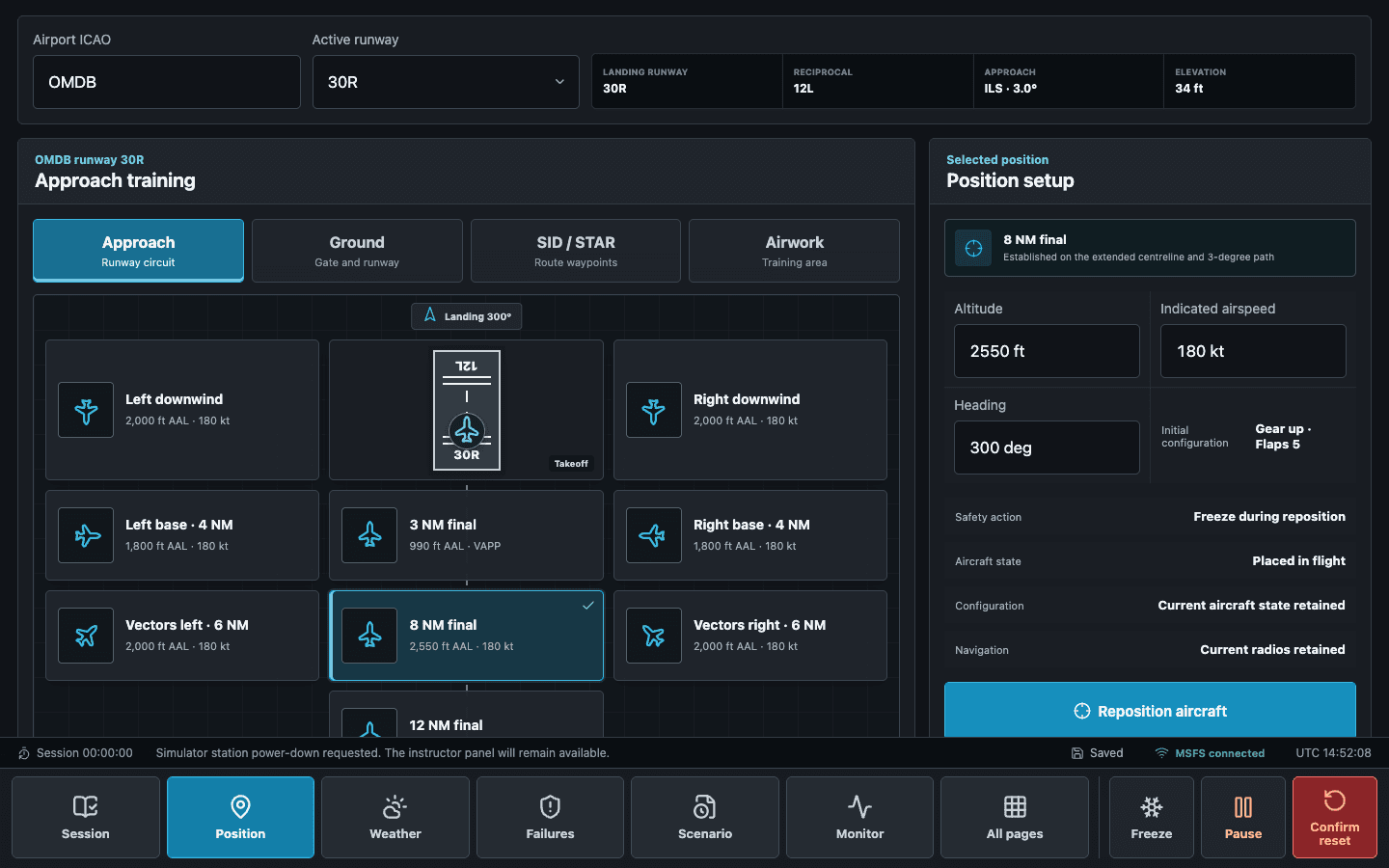
FlightSim Control approach positioning workspacePOSITION / APPROACH WORKSPACE
Guided installation

One workflow. Two independent platform builds.

Choose the installer for the computer that runs your simulator. No cross-platform pairing or remote computer is required.

  1. 01

    Choose your operating system

    Windows and macOS are complete local applications. Install only the build for the computer running the simulator.

  2. 02

    Activate this computer

    Sign in or restore your purchase. The activation belongs to this local simulator station and can be managed from your account.

  3. 03

    Detect local simulators

    The app finds supported simulators installed on the same operating system and prepares the connection automatically.

  4. 04

    Confirm the control path

    FlightSim Control reports the active simulator, loaded aircraft, and exact commands available before the session begins.

Local by design

Your account authorises the product. The app controls the simulator locally.

Simulator commands do not depend on a live cloud control path. Online services handle activation, protected downloads, updates, and device transfer.

RELEASE INTEGRITYPlatform-specific SHA-256Windows 6E4BA731A1B551F8F186B1ED2887AC6DC312649C7B9B2E9DE3D6D4E47DF597B0 · macOS B2EC8F1E2B05F05B2664B210DC8A9156AC3EC05B1238A50D8011D30E9E87C3A8