
Simulator session
Confirms the simulator is running and exposes the current state.
FlightSim Control identifies the active simulator and aircraft, then makes the controls available for that exact setup. A green connection light never unlocks unsupported actions.
Check your simulator setupCommands remain on the computer running the simulator. Cloud services are not in the live control loop.
Confirms the simulator is running and exposes the current state.
Translates a reviewed instructor action into a supported command.
Unlocks only the controls available for the loaded aircraft.
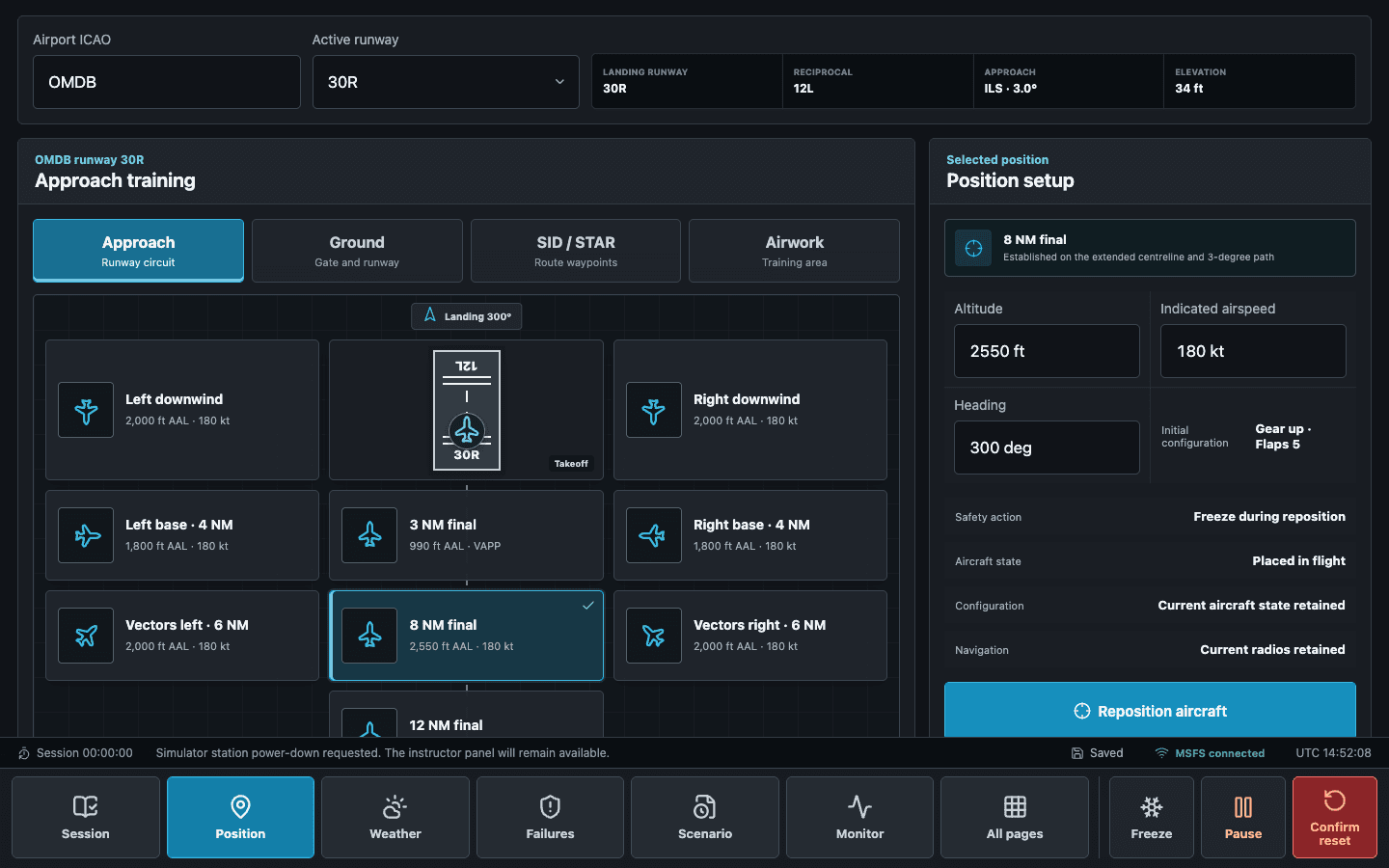
The station identifies the active simulator and loaded aircraft, then exposes only the controls available through that exact path. Aircraft-specific failures remain separate from generic simulator commands.
Available controls are listed for each simulator. Products that are not yet included are shown separately.
Includes live telemetry, pause and resume, flight-path freeze and release, UTC and rate controls, repositioning, navigation data, flight profiles, and engine-failure commands. Aircraft-specific functions appear only when the loaded aircraft supports them.
Includes live telemetry, pause and resume, flight-path freeze and release, UTC and rate controls, repositioning, navigation data, and flight profiles. Fuel, payload, and failure controls appear only when FlightSim Control can verify the loaded aircraft's command and readback path.
Includes live telemetry, pause and resume, flight-path freeze and release, UTC and rate controls, repositioning, fuel and payload loading, automatic reconnect, and aircraft-specific failures with activation and recovery confirmation.
Includes live telemetry, pause and resume, flight-path freeze and release, UTC and rate controls, repositioning, fuel and payload loading, automatic reconnect, and aircraft-specific failures with activation and recovery confirmation. Current stock-aircraft coverage includes piston and turboprop types.
Includes live telemetry, pause and resume, flight-path freeze and release, UTC and rate controls, repositioning, fuel and payload loading, flight profiles, simulator reset, and automatic reconnect. Engine-failure controls appear for engines whose state can be confirmed in the loaded aircraft.
Generic simulator commands use the core connection. Provider-specific systems appear when the loaded aircraft supports them.
Detected hardware can appear in the station when its driver exposes a supported control path.
Installed simulator data provides the baseline. Navigraph remains an optional, separately licensed source.
Weather control follows the active simulator interface. Active Sky remains an optional integration.
Independent macOS station: macOS 13 or later on Apple Silicon runs the complete application and local X-Plane plugin on the same Mac. It does not connect to or control a Windows station.
Availability rule: only the simulator and control combinations listed as available are included.